> ## Documentation Index
> Fetch the complete documentation index at: https://docsy3.mile.app/llms.txt
> Use this file to discover all available pages before exploring further.
# Odd Even
The **Odd-Even Rule** allows you to optimize routes by considering odd-even traffic regulation. This feature ensures that your route follows the best possible path based on your vehicle’s license plate number and the applicable traffic restrictions.
Required Permission :
* View configuration
* Create configuration
* Edit configuration
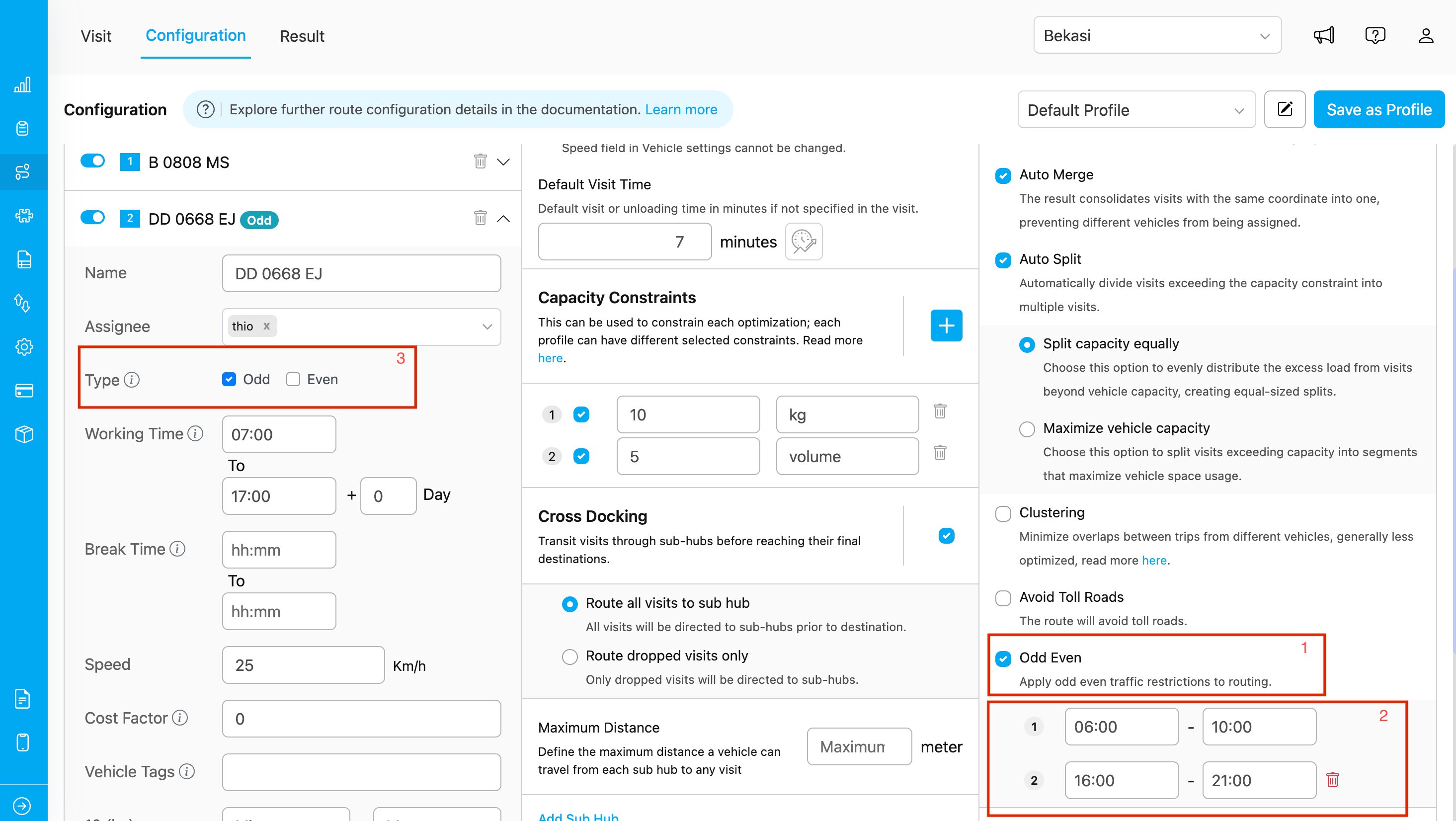
Routing Configuration Odd Even Display
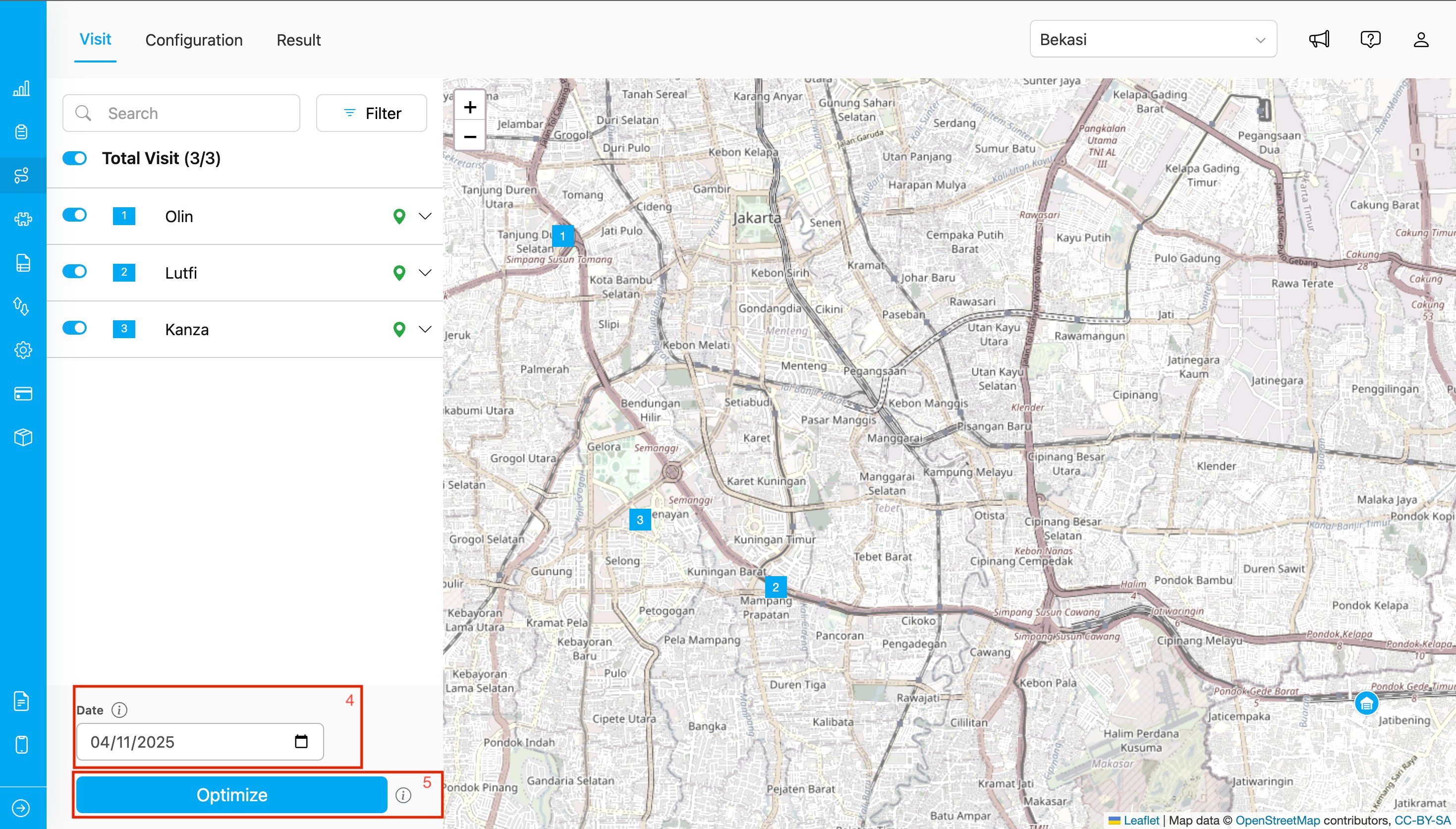
Routing VIsit Display
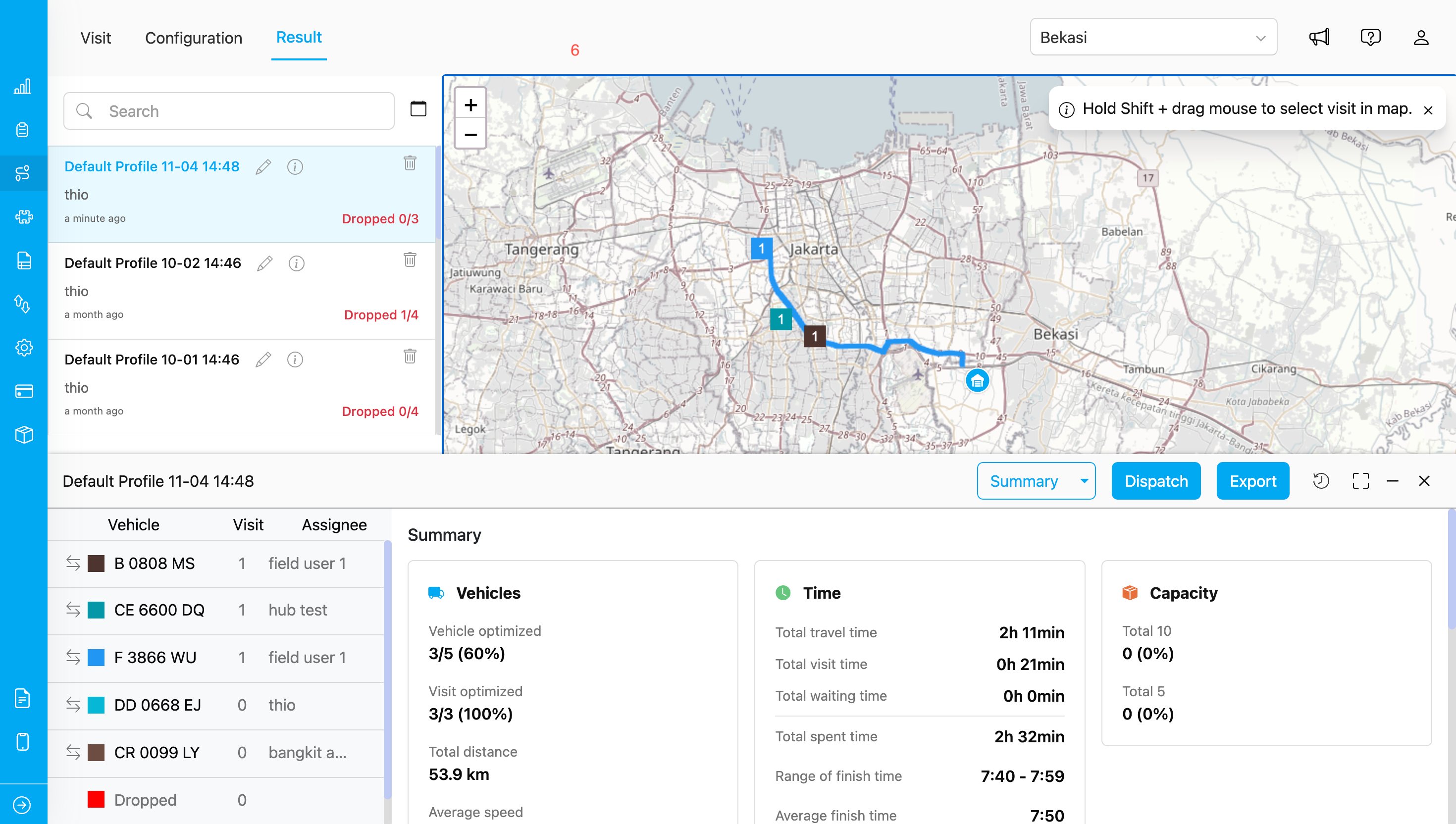
Routing Result Display
### **How to Use**
1. Go to **Routing → Configuration** and enable the **Odd-Even Rule** toggle.
2. Set the **time range** when the odd-even rule applies, according to your operational needs.
3. Define your **vehicle type** — whether it falls under the *Odd* or *Even* category based on the license plate.
4. Select the **date** when the route will be executed to determine if the vehicle is allowed to pass through odd or even restricted roads.
5. Click **Optimize** to run the route optimization process.
6. The optimized route — considering odd-even restrictions — can be viewed under **Routing → Result**.
### **Notes**
* Using this rule helps you generate routes that comply with Jakarta’s odd-even road policy.
* Once enabled, the setting will be **saved** for future routing processes and can be **modified anytime** as needed.
* The **Odd-Even Rule** currently applies **only to roads within the Jakarta province, Indonesia**.