Your data does not change. Flows, tasks, data sources, automations, routes and users all carry over, and the field app works the same way.
Highlights
Analytics
Dashboard
Drag numbers, charts, tables, maps and banners onto a page, filter it by hub, flow and user, and share it with the roles that need it. Start from a template or a blank page.
Report
Save a report on tasks or data source records with the columns you choose, then run it for any date range and export it.
Monitoring
Alert
Every geofence, idle, lateness, route deviation and overspeed alert in one list, plus your own alerts from the Send Alert automation.
Chat
Talk to your drivers without leaving the app, broadcast one message to many at once, and see who is waiting with an unread badge.
Activities
Order
An order is the big job a customer gives you. Design its fields and statuses once, then create or import orders and follow each one to the end, with every task it created in one place.
Workflow
Data Source
A faster, smarter search that matches every value you see in the table: text, numbers, options, linked records, dates and checkboxes. Rebuilt underneath to stay quick as your records grow.
Automation
Multilevel automation: one event starts an automation, what it creates starts the next one, and conditions split the work into paths. Build and see the whole chain on one canvas instead of setting up each automation one by one.
Order Type
Design your order once: the fields it holds and the statuses it moves through. A guided tutorial sets up your first one.
Brand new in this version
Each new feature in one look.Dashboard
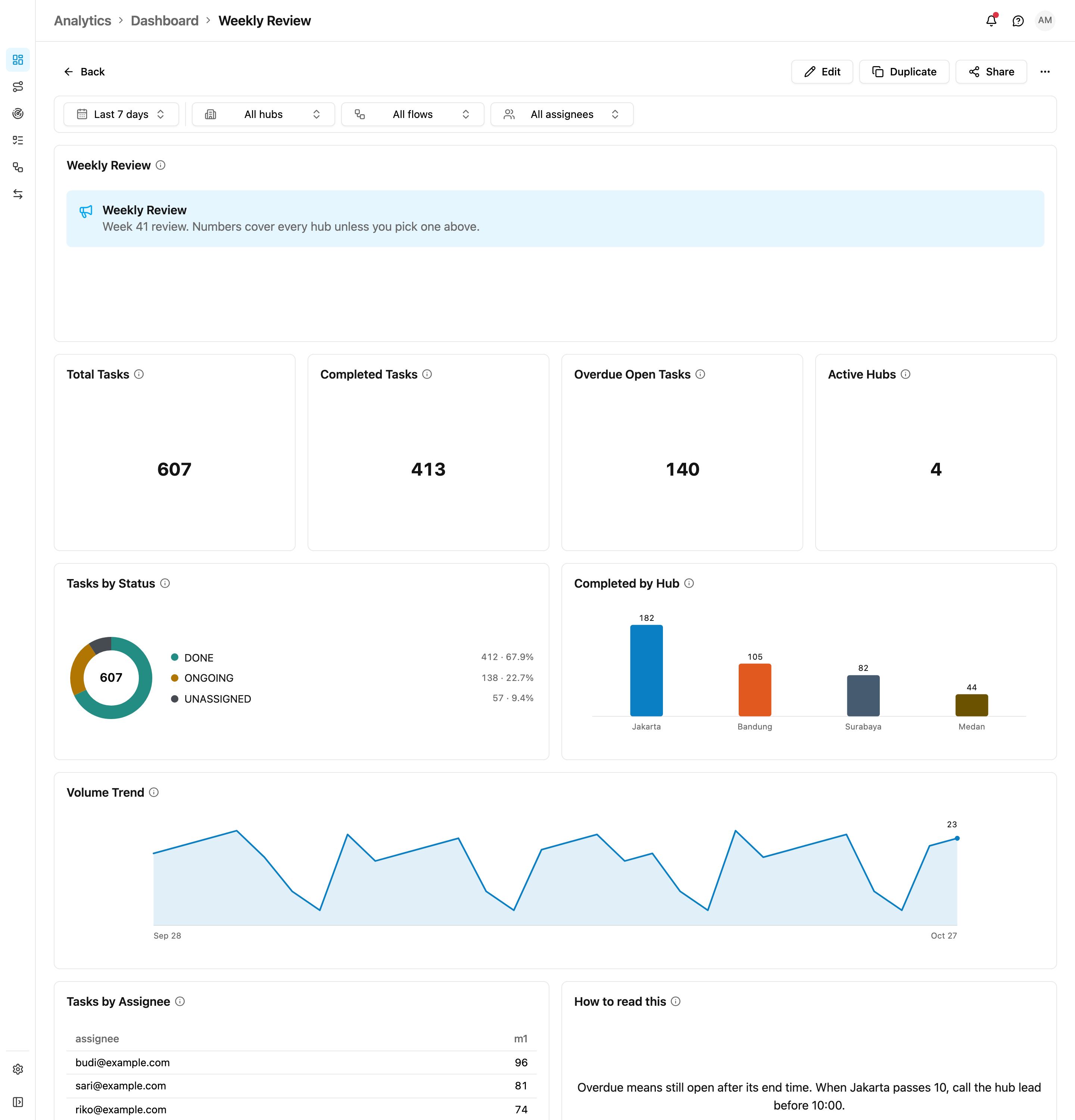
- Your numbers, your layout. Add number cards, charts, tables, text and a heat map.
- Filter in one click by date, hub, flow and user.
- Share each dashboard with the roles that need it.
Report
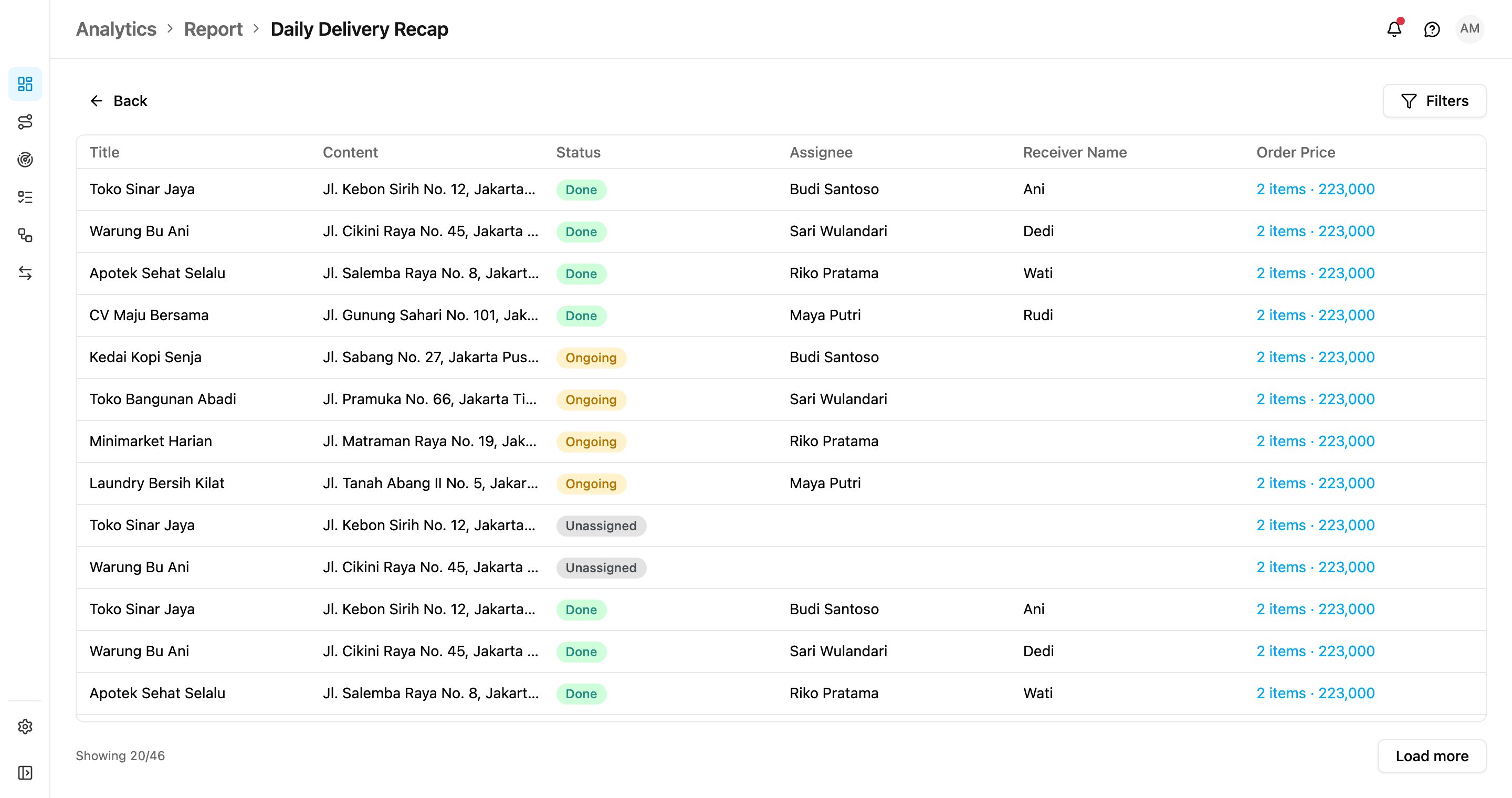
- Save a report once on tasks or data source records, with the columns you choose.
- Run it for any date range and export it in one click.
Order
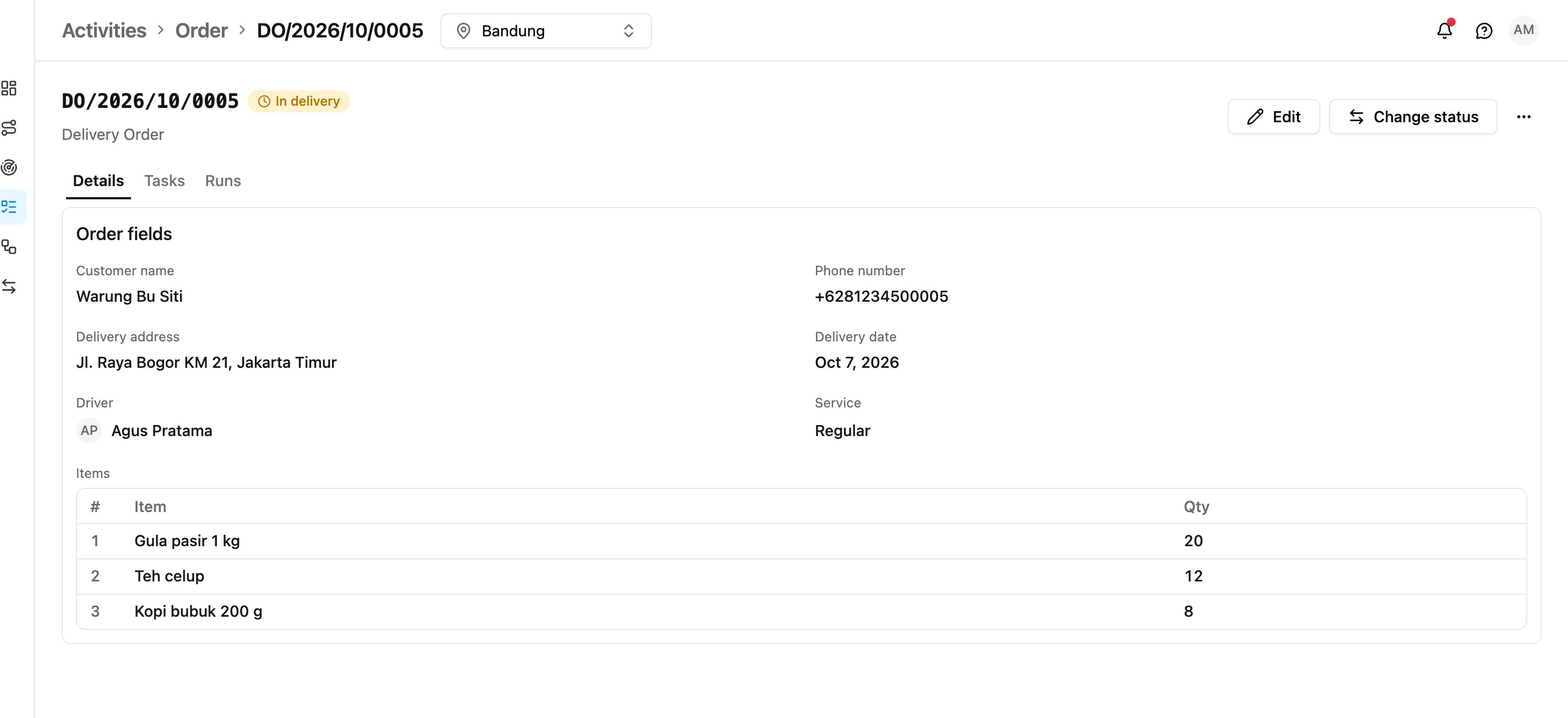
- Bring the customer’s job into the app. One order can create many tasks.
- Follow each order to the end: its details, the tasks it created and every automation that ran for it.
- Create or import orders from a spreadsheet.
Order Type
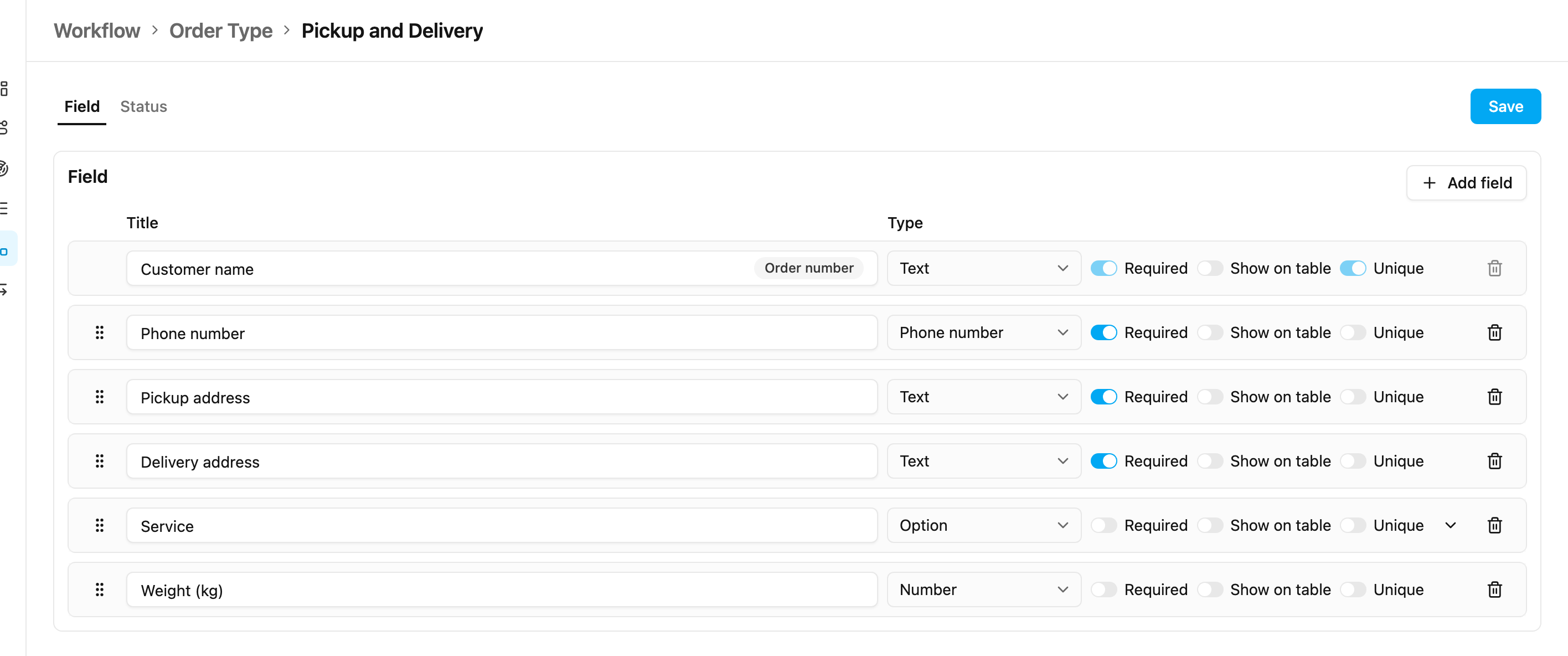
- Design your order once: the fields it holds and the statuses it moves through.
- A guided tutorial sets up your first one.
Data Source
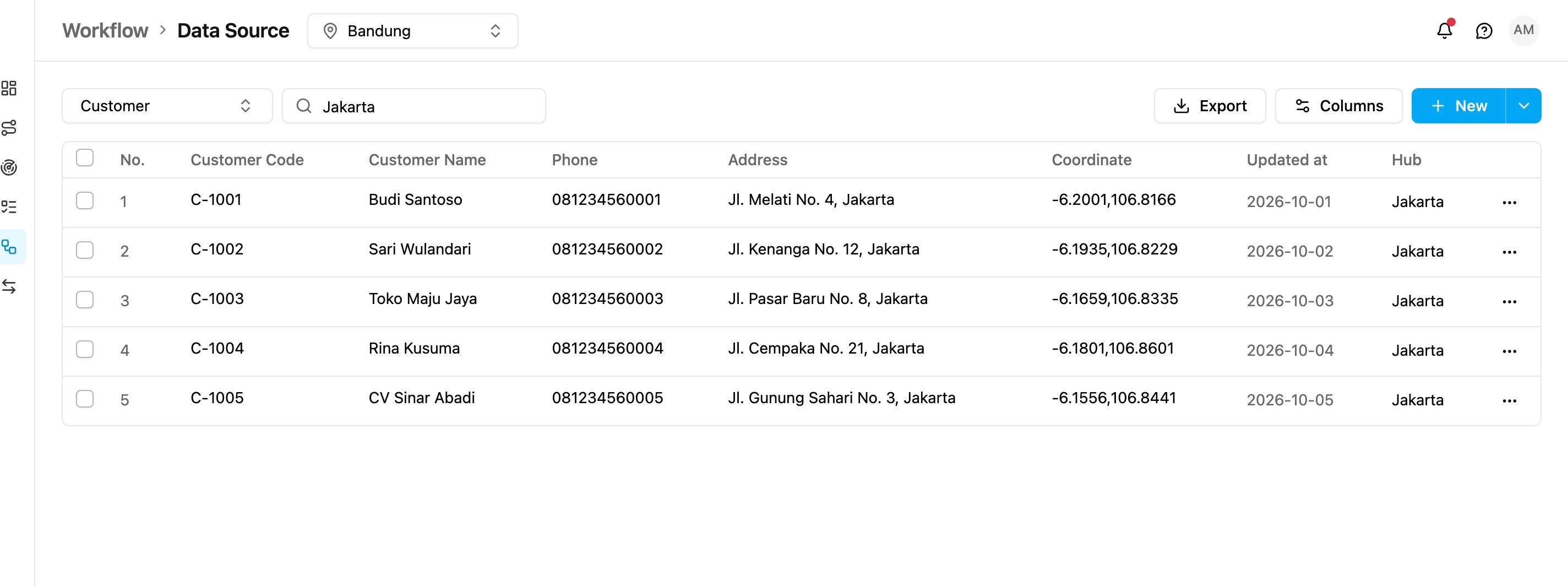
- Search finds what you see. One search box matches every value in the table: text, numbers, options, the name of a linked record, dates and checkboxes.
- Forgiving on codes. PT-001 also finds PT_001 and PT 001.
- Rebuilt underneath. The search is kept up to date on every save, and renaming a linked record updates every record that points to it, so results stay right and fast as your data grows.
Automation
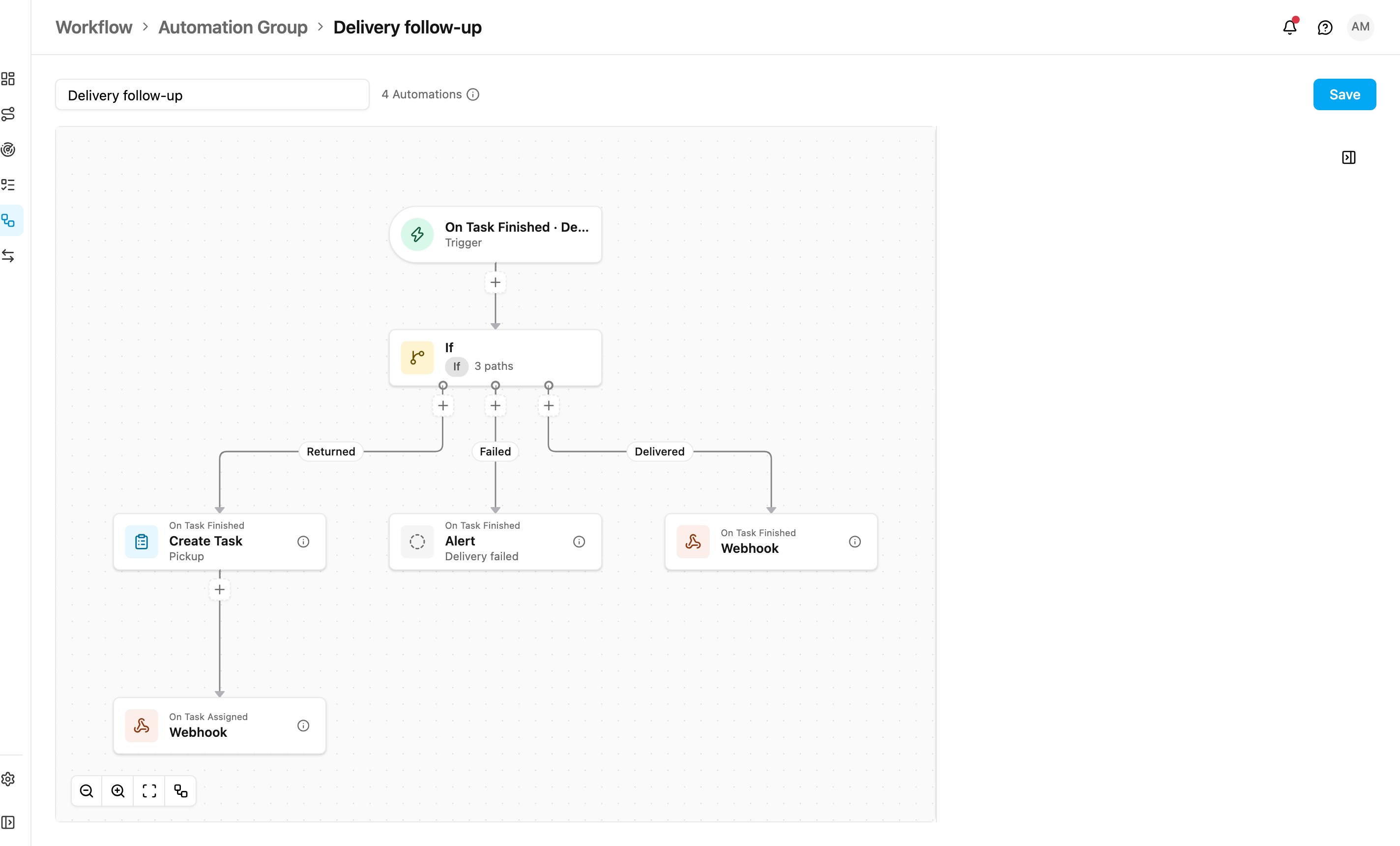
- Multilevel automation. One event starts an automation, and what it creates starts the next: a finished delivery creates a pickup task, and assigning that pickup notifies the customer.
- Split the work with conditions. Send each case down its own path, like Returned, Failed or Delivered.
- See the whole chain on one canvas and add the next step with one click. Problems are marked on the card before you save.
- Turn the whole chain on or off at once.
Send Alert and Order Automations
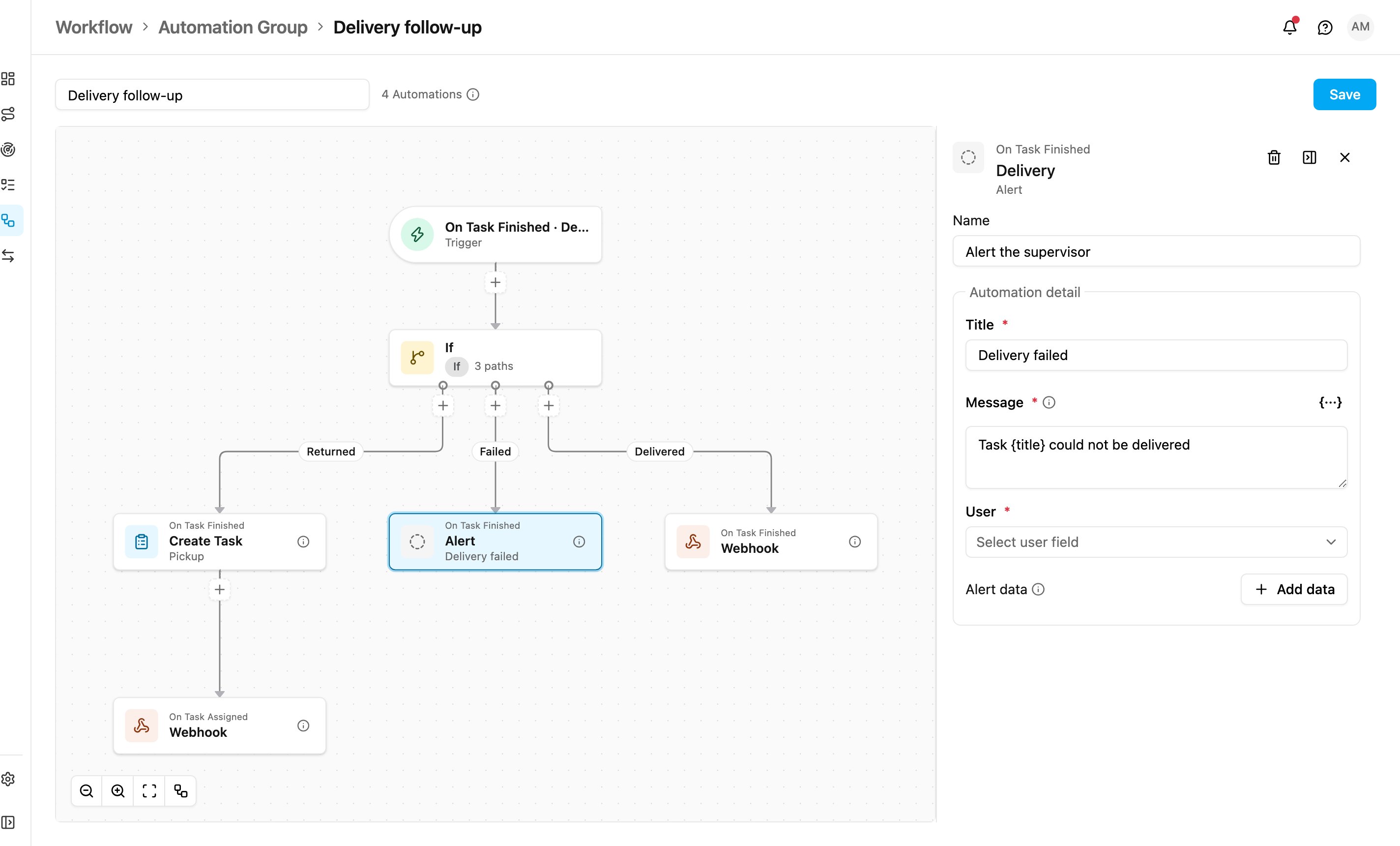
- Send Alert raises your own alert when something happens to a task, with a title, a message and details from the task.
- Create Order, Update Order Field and Update Order Status keep orders in step with the tasks behind them.
Chat and Alert
The Monitoring menu now holds three pages: Tracking, Chat and Alert. Chat and Alert are brand new.Chat
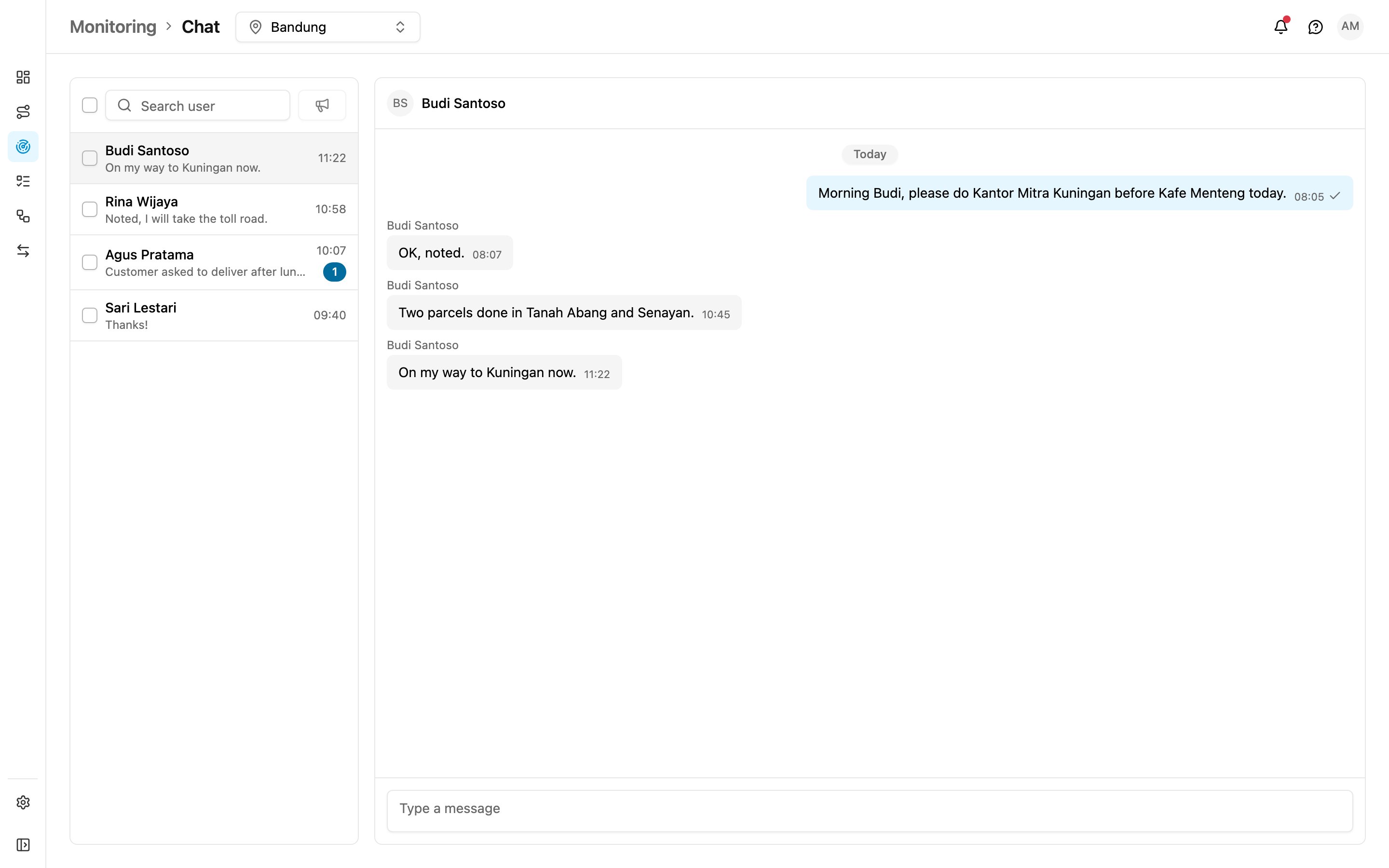
- Talk to your drivers without leaving the app. No more switching to WhatsApp.
- Broadcast one message to many drivers at once.
- Never miss a reply: an unread badge shows who is waiting.
Alert
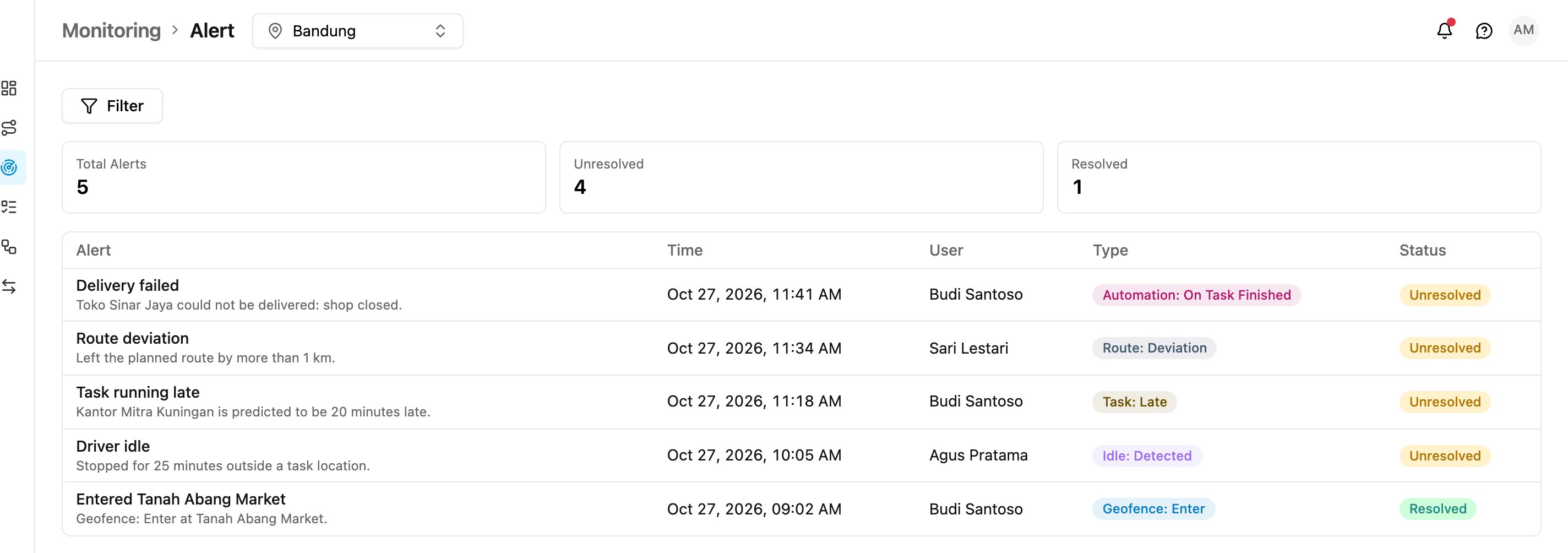
- Every alert in one list: geofence, idle, lateness, route deviation, overspeed and your own Send Alert alerts.
- See what is open at a glance with the totals at the top, and resolve each alert with a note.
Schedule Calendar
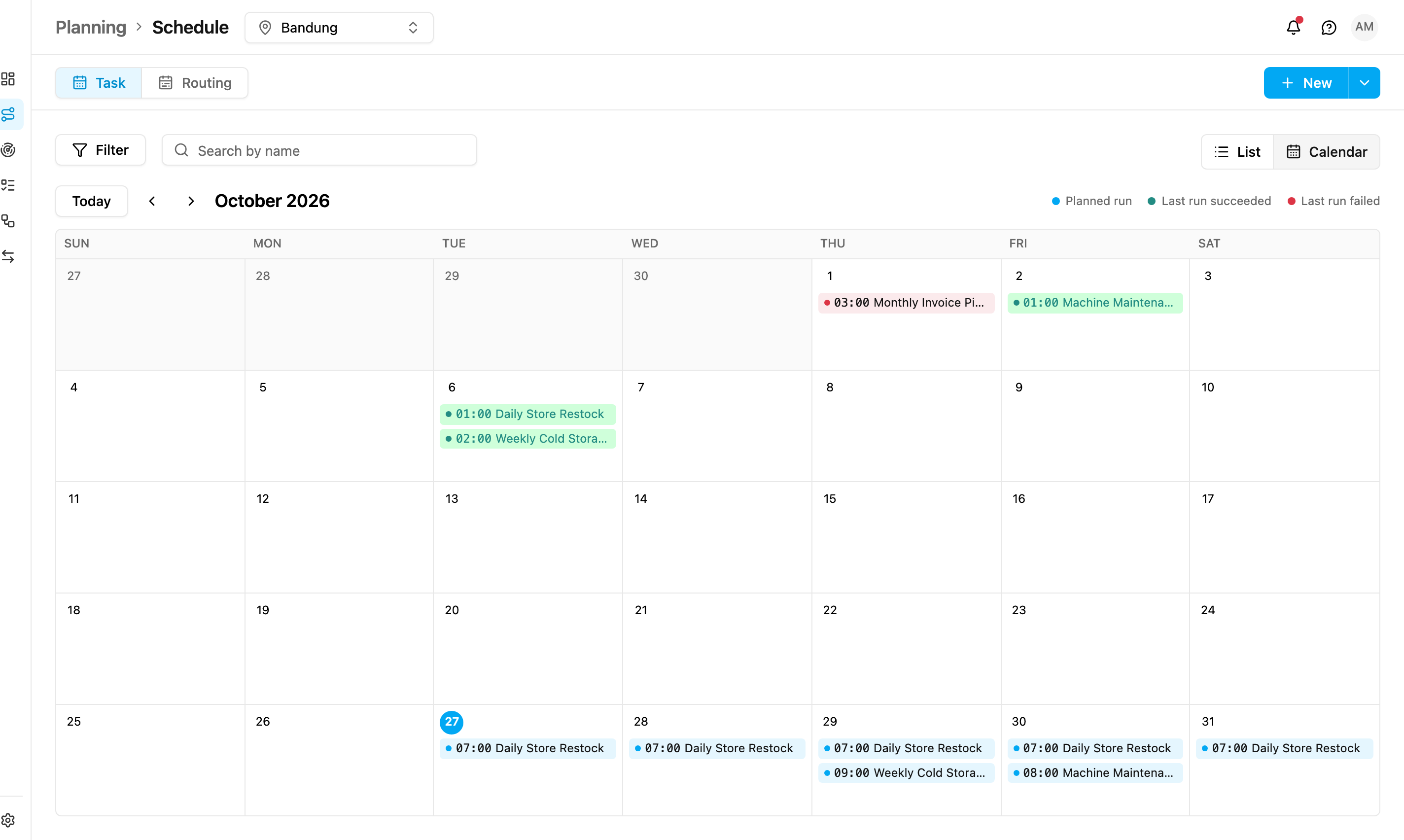
- See your whole month at a glance. Switch from List to Calendar in Planning › Schedule, for task and routing schedules.
- Colour tells the story: blue for what runs next, green for runs that succeeded, red for runs that failed.
- Spot gaps and busy days before they happen.
Routing Schedule
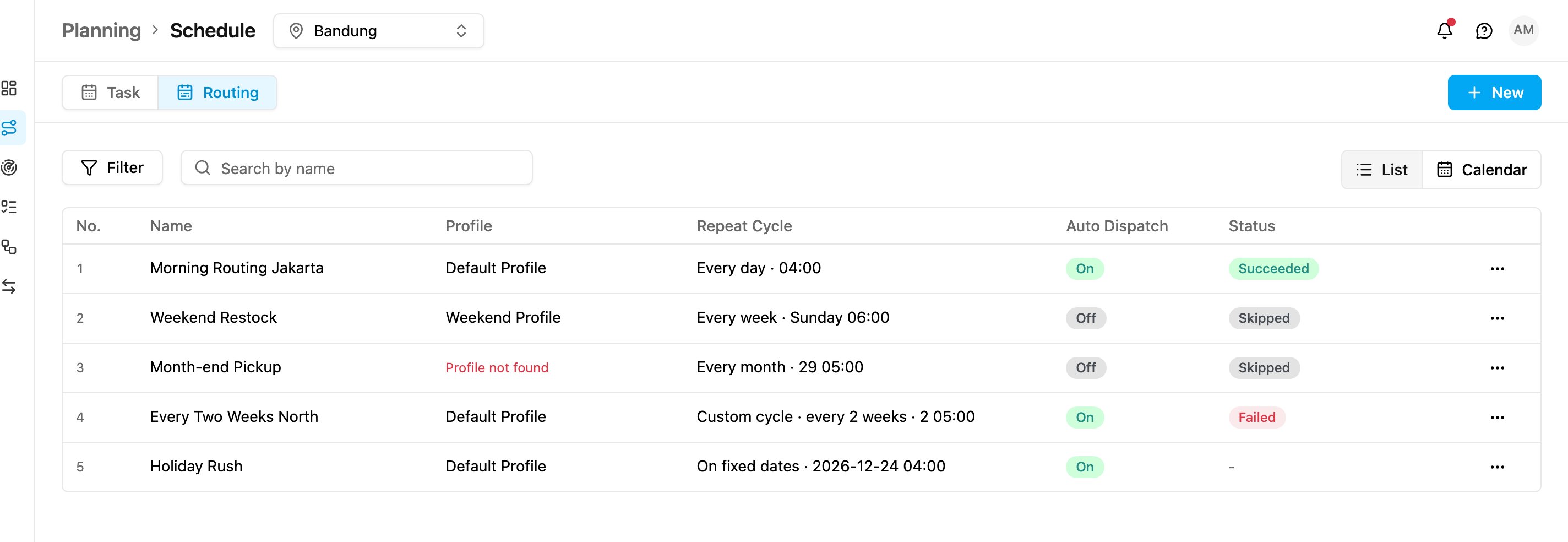
- Plan routes on autopilot. Route optimization runs daily, weekly, monthly or on dates you pick.
- Routes are ready before your team starts the day.
Better than before
Features you already know, now faster and easier.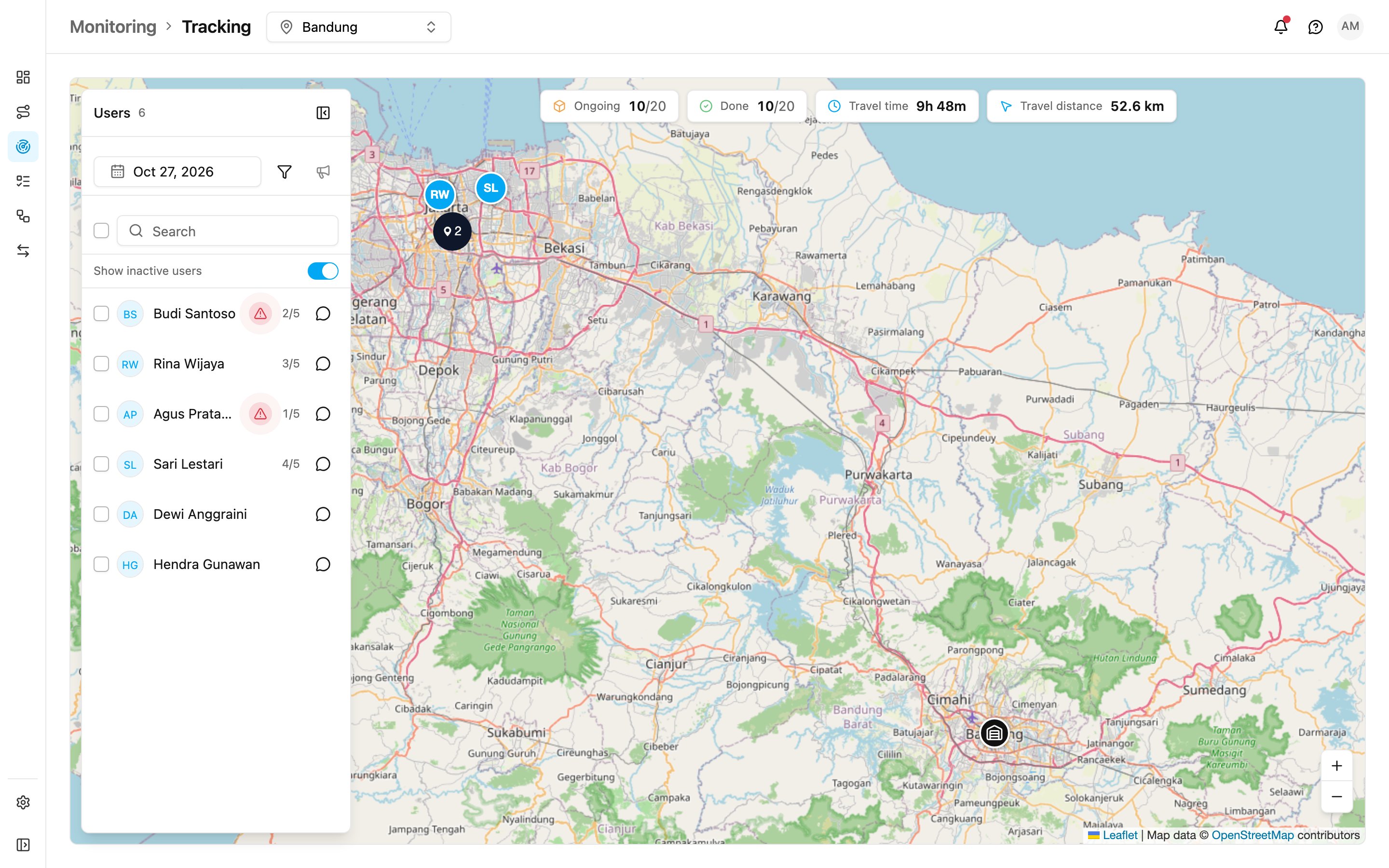
Tracking now updates live, and you can open a chat with any driver from the map.
The new menu at a glance
The left menu now has six entries, and Settings opens its own menu.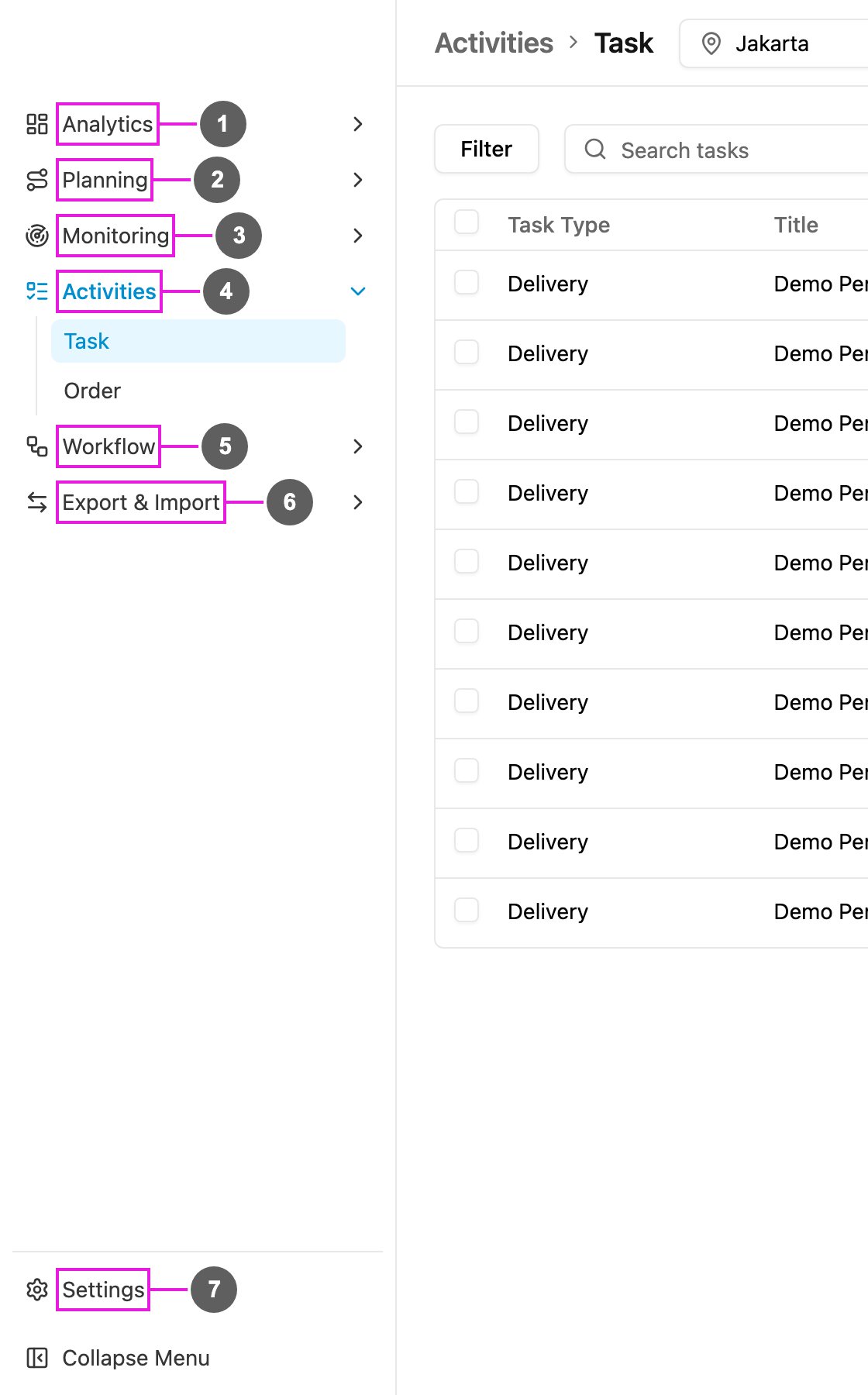
- Analytics: Dashboard, Insight and Report.
- Planning: Routing (Visit, Configuration, Result) and Schedule (Task, Routing).
- Monitoring: Tracking, Alert and Chat.
- Activities: Task (with Gallery) and Order.
- Workflow: Data Type, Data Source, Flow, Order Type, Automation and Automation Group.
- Export & Import: Export and Import.
- Settings: users, roles, hubs, monitoring settings and extensions.